transcribe

Audio tutorial

How to use transcribe audio and check the result

Start with a recording you have permission to process. This guide takes you from preparing the file to reviewing a readable transcript, including what to do when names, speakers, or quiet passages come out wrong.

Review the result against your recording
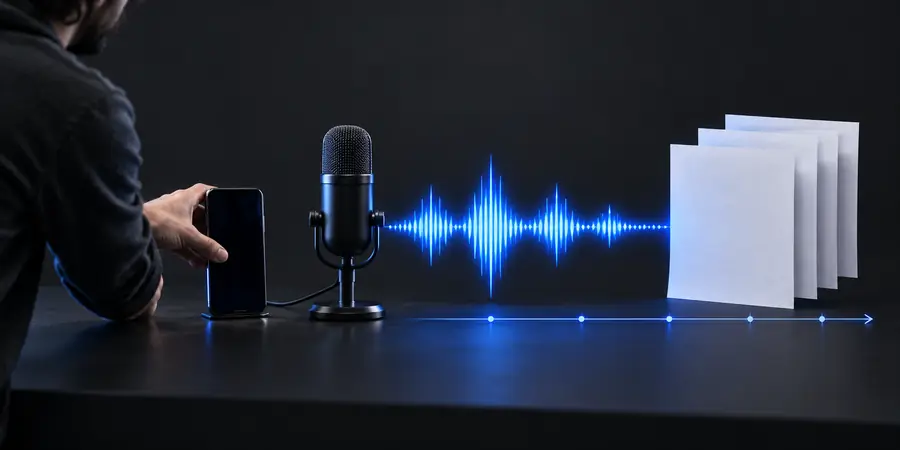
Transcribe audio workflow illustration

Check the recording first

Play the beginning, middle, and end before you submit anything. Confirm that the voices are audible, that the file contains the intended conversation, and that you may share it with the service you choose.

It cannot recover words that were never audible

A clipped microphone, overlapping voices, or sustained background noise can leave gaps that no transcript can reliably fill. Plausible-looking text is not proof that a faint phrase was understood.

WorkaroundUse the clearest original recording, listen to uncertain passages yourself, and mark unresolved words rather than guessing.

It cannot guarantee correct names or technical terms

Uncommon surnames, product names, and specialist vocabulary may be rendered as familiar-sounding words, even when the rest of a sentence looks accurate.

WorkaroundKeep a short spelling list beside the recording and verify each important term during the review.

It cannot decide your consent or confidentiality rules

An audio file may contain private details about people who did not expect their voices to be processed. This tutorial does not establish whether a particular recording is appropriate to share.

WorkaroundCheck applicable permissions and your organization's handling rules before using any transcription service.

Numbered steps

Work in this order: prepare the source, produce a draft, then verify it against what was actually said.

Prepare the audio and choose a style

Open the recording and check that it plays all the way through. If you have several files, name them so you know their order. Decide whether you need verbatim text, which retains fillers and false starts, or a cleaned transcript that removes them. Note the language and any known speaker names, but do not invent labels for voices you cannot identify.

Submit it and request a draft

Use a transcription workflow that accepts your recording, then state your chosen style. Ask for speaker separation only if more than one person speaks, and request explicit markers for uncertain words instead of silent guesses. If the service offers a live-input option, use it for an ongoing conversation; for an existing file, process the recording itself so you can replay the source later.

Listen while you edit the transcript

Read the draft with the audio playing. Check the first and last sentences, then sample each change of speaker and every passage that seems oddly phrased. Correct names, dates, and numbers against the recording. If a word remains unintelligible, keep an uncertainty marker. Save the reviewed text in the format your reader needs rather than treating the first draft as final.
From recording to reviewed text

Recording to check

Illustration representing audio prepared for transcription
Illustration representing an audio-to-text result
Transcript to review

The useful result is not merely text on a page. It is text checked against the recording, with speaker changes and uncertain passages handled consistently.

Common errors and fixes

Use these checks when a draft looks fluent but does not quite match the recording.

What you notice What to do
1

Wrong name

What you notice

A person's name becomes a more common word.

What to do

Replay the introduction and correct the spelling using a reliable source.

2

Speaker mix-up

What you notice

Two voices appear under one label.

What to do

Listen at the turn and relabel only the voices you can distinguish.

3

Missing short reply

What you notice

A quiet yes or no disappears.

What to do

Replay the exchange and add the reply if you can hear it clearly.

4

Invented certainty

What you notice

A noisy phrase reads like a confident sentence.

What to do

Compare it with the audio and mark any word you cannot verify.

5

Incorrect number

What you notice

A date, amount, or measurement looks plausible but wrong.

What to do

Check the exact passage; do not infer the number from context.

6

Too much cleanup

What you notice

Fillers or corrections vanish from a verbatim transcript.

What to do

Restore audible wording, or relabel the result as an edited transcript.

Advanced tips

Match your review method to the person who will use the text. The same recording can call for different levels of detail.

Interview researcher

You need quotations that preserve what a participant actually said, including meaningful pauses and self-corrections.

Choose verbatim output, replay every planned quotation, and keep uncertain words visible until verified.

transcribe audio to text

Meeting note-taker

Several colleagues speak, but the final document should be easy to scan for decisions and next actions.

Check speaker turns first, then create a separate edited summary without replacing the underlying transcript.

how to transcribe audio to text in word

Live event host

You need text during a session rather than after an audio file has been saved.

Treat live text as a working aid and review a recording afterward if exact wording matters.

transcribe online live

Put the workflow into practice

Start with a recording you can verify

Prepare your audio, describe the transcript you need, and compare the draft with the source before you share it. A careful final listen matters most where a mistake could change someone's meaning.

  • Choose verbatim or cleaned text
  • Check names, numbers, and speaker turns
  • Mark words you cannot confirm

Tutorial FAQ

Check that the file plays clearly and that you have permission to process it. Submit it through an audio transcription workflow, choose a verbatim or cleaned style, then listen back while correcting the draft. Keep a marker wherever the recording does not support a confident word.

Start with the clearest original you have and check that it contains the whole conversation. If a separate cleaned copy makes voices easier to hear, compare uncertain passages with the original too. Processing cannot reliably restore words that were not captured.

A draft may separate voices, but it can confuse similar speakers or miss a quick interruption. Listen at each important speaker change before assigning names. If you cannot tell who spoke, leave the attribution uncertain rather than guessing.

Replay the surrounding sentence instead of correcting from context alone. Verify names and numbers particularly carefully because a plausible substitution can change the meaning. If the word remains unclear, mark it as uncertain in the final text.

Use verbatim text when exact wording, fillers, or self-corrections matter, such as for a quotation. Use cleaned text when readability is the goal and those details are not needed. Label an edited version clearly so readers do not mistake it for an exact record.

Try transcribe
Try transcribe